
In questo tutorial esaminiamo questa è una scena che ho modellato qualche mese fa per un mio cliente, alcune info sulla scena,poi sotto settaggio render, illuminazione ed alcuni materiali
Modellazione : sketchup 2014
Render : vray 2
Postproduzione : Nessuna
Modellazione : 2 ore – Illuminazione : 35 min – Materiali : 40 minuti Render : 45 min
RENDER:
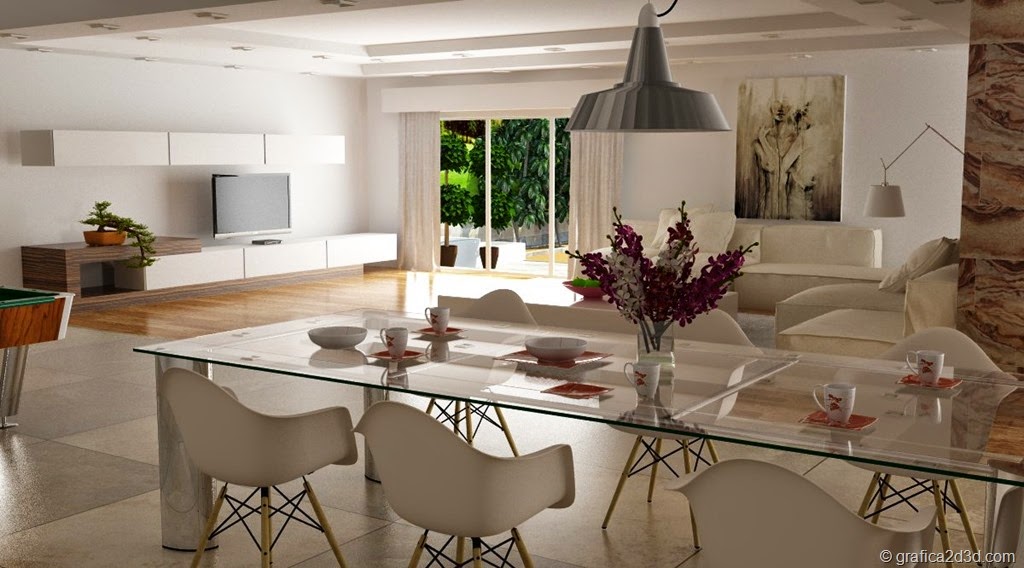
LA SCENA:


SCHEMA ILLUMINAZIONE :


ALCUNI MATERIALI NELLA SCENA :
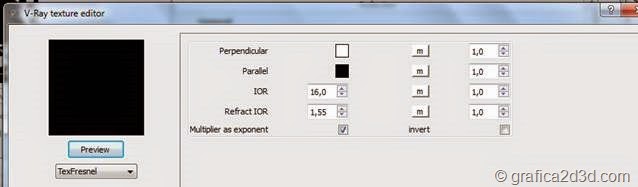
ACCIAIO
Diffuse

Reflection

Map reflection
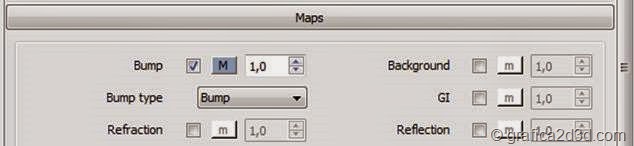
PARQUET
Diffuse
map parquet

Bump
Map b/n parquet
Reflection

Map reflection

VETRO TAVOLO

Reflection

Map reflection

Refraction

PELLE DIVANO
Diffuse
Colore pelle

Bump
Map pelle ruvida


Reflection

Map reflection

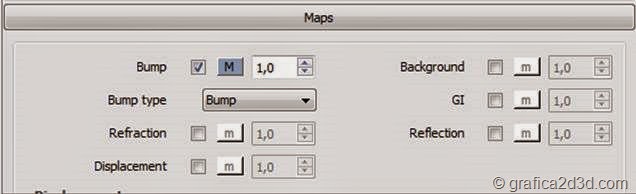
LEGNO INTERO
Diffuse
Map wood

Bump
Map b/n bump
Reflection

Map reflection

LAMPADINA LAMPADA
Diffuse + emissive

SETTAGGIO RENDER :

ENVIRONMENT :
illuminazione con il vray sun
SUN VRAY

PHYSICAL CAM:

#tutorialsketchup #tutorialautocad #tutorialrevit #tutorialblender #tutorialvray #tutorialrhinoceros #tutoriald5render #sketchup #autocad #revit #blender #vray #rhinoceros #d5render
Ti lascio una serie di link utili qui sotto trovi il link a tutti i tutorial per argomento
VRAY SKETCHUP - VRAY 3DS MAX - VRAY RHINOCEROS - AUTOCAD - ARCHICAD - 3DS MAX - SKETCHUP 3D - ARTLANTIS - CATIA V5 - GIS - RHINOCEROS - GRASSHOPPER - REVIT - PHOTOSHOP - VIDEOTUTORIAL - CINEMA4D - MENTALRAY 3DS MAX - MOI 3D - SOLIDWORK
se invece sei interessato ai corsi di formazione ti lascio un elenco di tutti i corsi di cui ci occupiamo
CORSO PHOTOSHOP PER L'ARCHITETTURA